OpenClaw is one of the most visible projects in the local AI assistant space. Its public product story is direct: talk to an assistant from chat apps, connect tools, run a gateway, and let the assistant act. That is a strong mental model for people who want an assistant they can message from anywhere.
The question is whether you want an assistant endpoint or a full local AI workspace. That distinction matters more than a generic feature checklist. A good OpenClaw alternative should not only answer prompts. It should help you inspect what the answer changed, where the work went, how follow-up is tracked, which sources grounded the answer, and what approvals were required before anything risky happened.
What people usually want from an OpenClaw alternative
Most people looking for an OpenClaw alternative are not rejecting the idea of a local assistant. They want more structure around the assistant. Common requirements include visual workflows, safe side effects, reviewable memory, local model setup, source-grounded research, task tracking, and a way to coordinate several agents without living in terminal tabs.
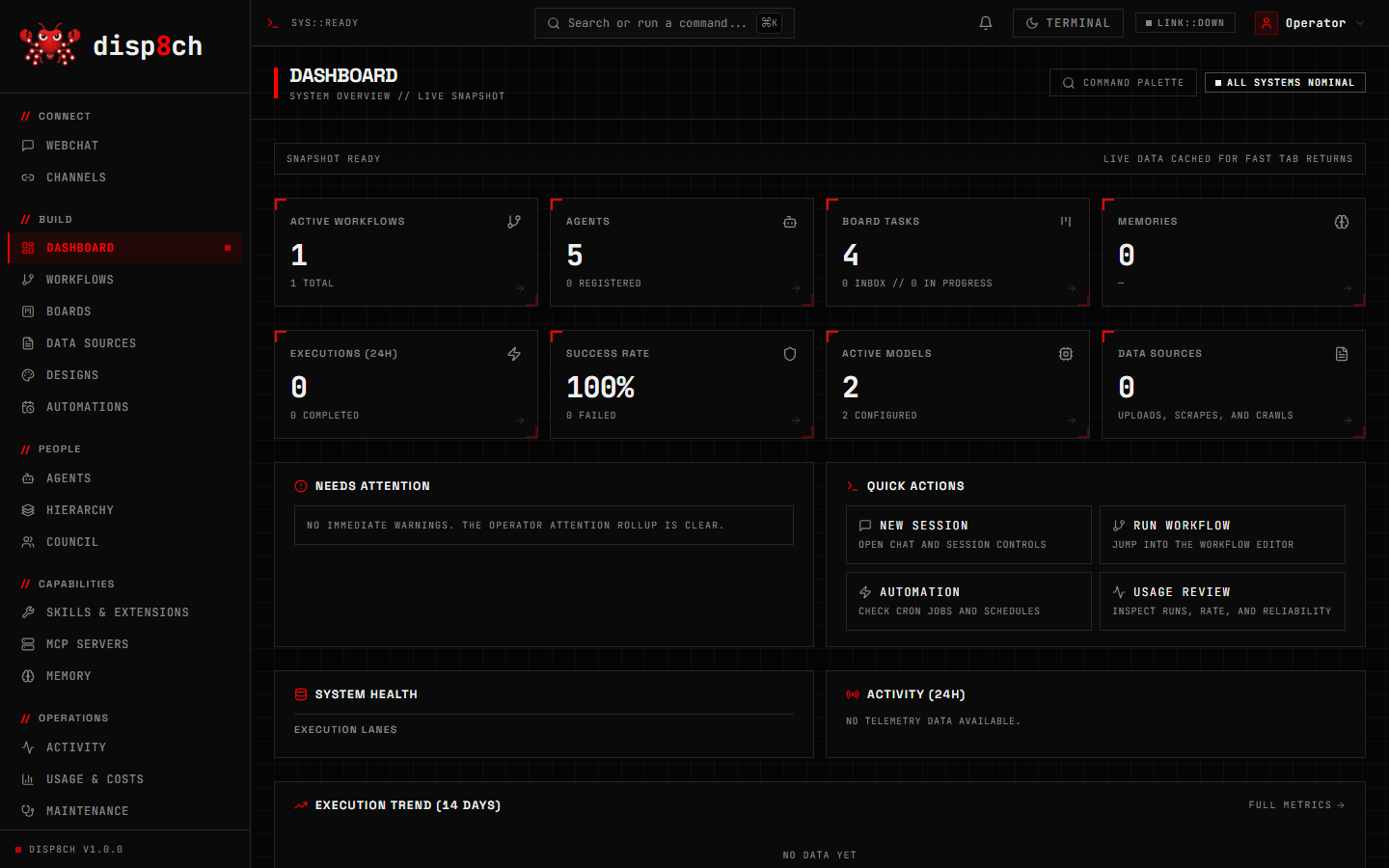
A local assistant can help with inboxes, calendars, messages, summaries, and recurring checks. A local workspace goes further. It turns requests into objects that can be reviewed later: workflow graphs, board tasks, council verdicts, goal records, source notebooks, memory candidates, and design artifacts. That is the difference between asking an assistant to do something and operating the work after the assistant starts.
Disp8ch is built around that second model. You can still start in Agentic WebChat, but the result can move into Visual Workflows, Boards, Council, Hierarchy, Data Sources, or Memory.
Use case 1: plain-English workflow automation
If your main request is “build a daily research digest” or “create a webhook that summarizes JSON and replies”, you need more than a chat answer. You need a workflow you can inspect, test, replay, schedule, and repair.
In Disp8ch, WebChat can draft the workflow plan and ask for confirmation before saving. The workflow lands on a visual canvas with triggers, nodes, model settings, credentials, downstream destinations, and effect policies. You can dry-run the graph, inspect mutating nodes, test a node, replay a run, and retry from a failed node.
That visibility is useful when a workflow touches external systems. A message-send node, HTTP write, system command, file write, or destructive action should not hide behind a friendly assistant response. Disp8ch classifies side effects just before execution, then applies the selected approval policy.
Use case 2: decisions that need a record
Many agent tasks are not simple execution tasks. They are decisions: prioritize reliability or features, choose a provider, approve a launch, decide whether to expose a port, or compare several vendors. A single assistant answer can be useful, but it often hides minority concerns.
Council is Disp8ch’s answer to that problem. You can run a structured debate with selected participants, options, rounds, documents, and a decision method. Agents argue, vote, and record a verdict. The dissent remains visible. When the decision creates follow-up work, you can create board tasks from the verdict.
This matters for local AI work because autonomy without recorded judgment becomes hard to audit. If the agent made a recommendation last week, you should be able to find the sources, the opposing view, and the tasks created from the decision.
Use case 3: source-grounded research
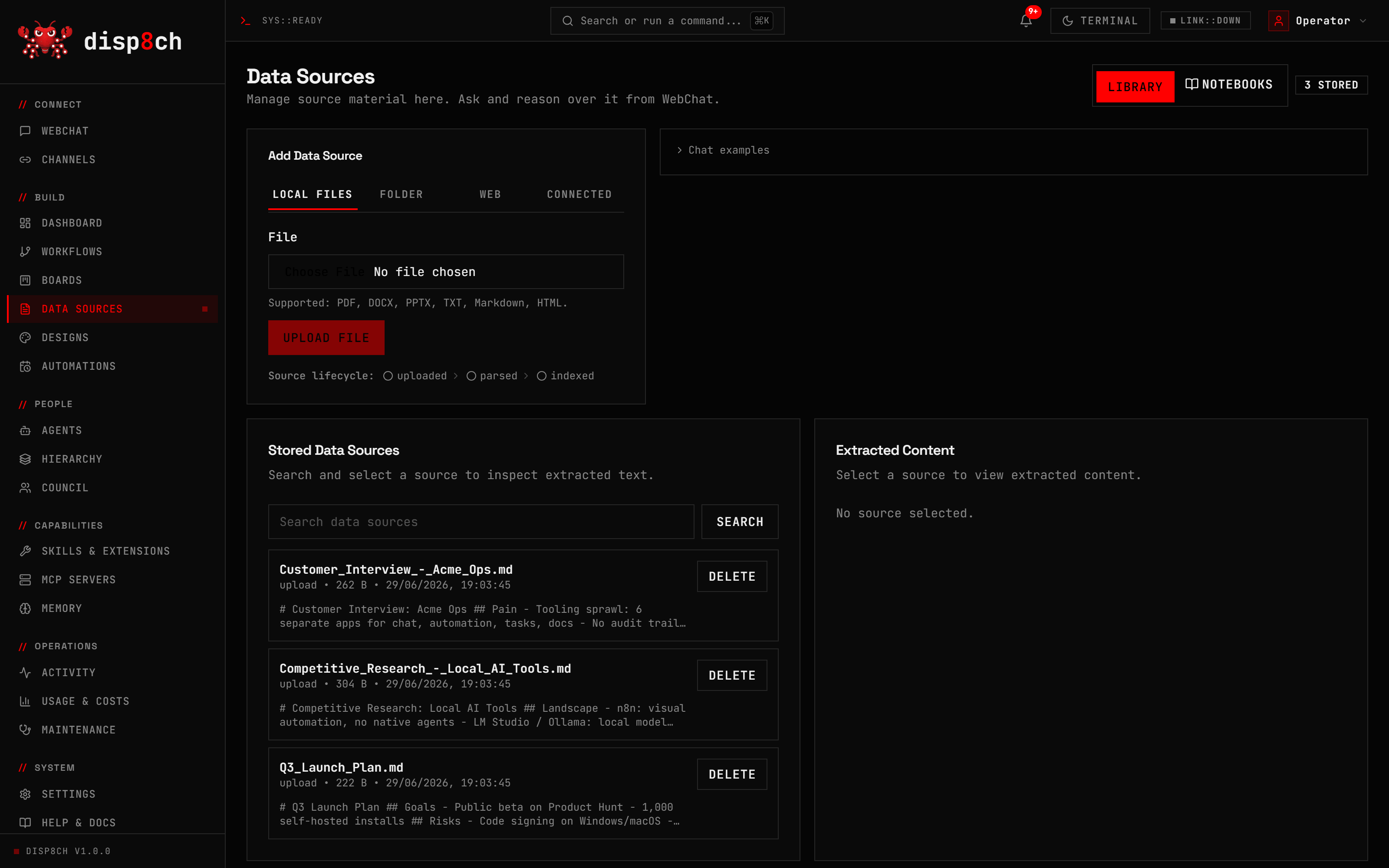
Local AI assistants often start with chat history and a few tool calls. That is not enough when the work depends on files, product docs, launch notes, test plans, or internal markdown. You need a source library that can feed questions, notebooks, workflows, councils, and goals.
Disp8ch Data Sources supports uploaded files, local markdown folders, scraped pages, crawled docs, and notebooks. You can ask narrow questions inside a notebook, ask broader questions from WebChat, or turn source findings into a task, workflow, council session, or skill candidate.
Use case 4: local model control
A local-first workspace should not force every core action through a hosted model. Disp8ch supports hosted providers and OpenRouter, but it also treats local models as a first-class path. Onboarding can inspect RAM, CPU, GPU, VRAM, installed runtimes, and installed models, then recommend practical speed, balanced, or quality setups.
The advisor does not silently download models or replace your active configuration. It shows the command to run, lets you test the connection, and keeps the decision in your hands. That is important if your main reason for choosing local AI is control.
Where OpenClaw may still be the better fit
OpenClaw may be a better fit if your main goal is a chat-accessible assistant that lives behind a gateway and is reachable from messaging apps. Its public site puts that experience front and center. If your workflow starts and ends in chat, and if gateway access is the main feature you care about, it may match your mental model more directly.
Disp8ch is a better fit when you want the work to become visible app state. It is not only “message an assistant”. It is “create the workflow, track the board task, save the source, record the decision, assign the goal, and review the memory.”
A practical selection checklist
Ask these questions before choosing an OpenClaw alternative:
- Do I need a visual workflow editor, or is chat-triggered action enough?
- Do I need board tasks and typed blockers for follow-up work?
- Do I need multi-agent decisions with votes and dissent?
- Do I need local source libraries and notebooks?
- Do I need reviewable memory instead of silent profile updates?
- Do I need hardware-aware local model setup?
- Do I need to inspect exactly which action a workflow is about to take?
If you answered yes to several of these, start with Disp8ch. Read the full Disp8ch vs OpenClaw comparison, then install the app and build one small workflow from WebChat.
Start small
The safest first project is not a full inbox takeover or an unattended production automation. Start with a read-heavy workflow: crawl a docs page, summarize updates, create a board task, and send a WebChat notification. Then add approvals, credentials, and external sends only after you understand the run history.
That approach lets you evaluate the real strength of a local AI workspace: not how impressive one answer sounds, but how clearly the system turns a request into inspectable, repeatable, and governed work.