Plain-English workflow automation is attractive because it removes the empty-canvas problem. Instead of dragging nodes for an hour, you describe the outcome: “Build a daily research digest”, “Create a webhook that summarizes issues”, or “When this RSS feed changes, create a board task and notify WebChat.”
The risk is hidden automation. If the assistant silently creates a workflow, sends a message, writes a file, or calls an API without showing what it will do, natural language becomes a shortcut around safety. The right pattern is different: use plain English to draft the workflow, then inspect the graph, approve the changes, test the run, and keep the output connected to visible work.
What plain-English automation should produce
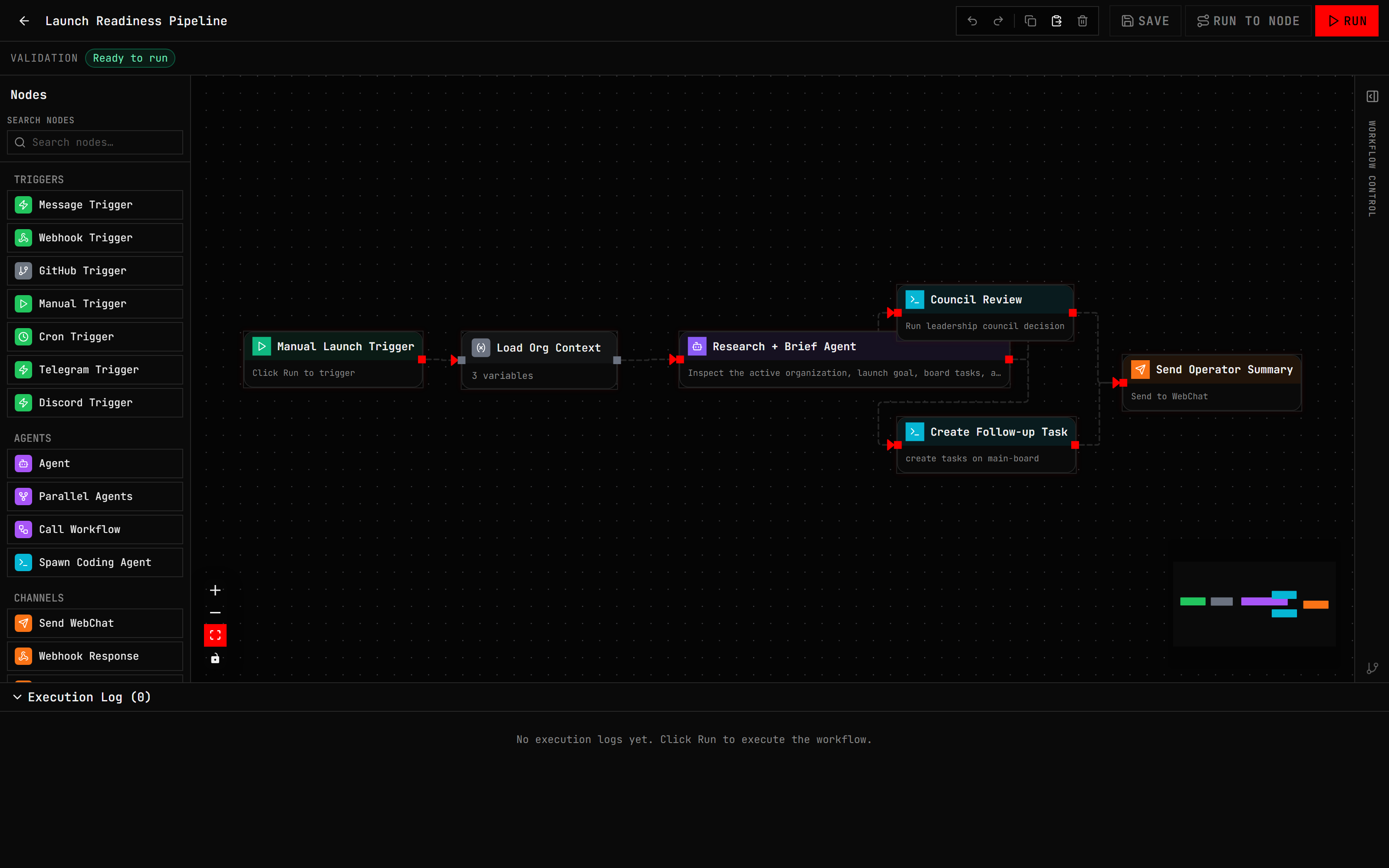
A good plain-English automation system should not stop at a textual plan. It should produce an editable workflow. The operator should be able to inspect:
- The trigger
- The node order
- Each model prompt
- Each credential or secret reference
- Which nodes read data
- Which nodes change state
- Where output is delivered
- How failures can be replayed or retried
- What approval is required before riskier actions run
In Disp8ch, Agentic WebChat can draft the plan, but Visual Workflows holds the real automation. That split keeps natural language useful without making it opaque.
A concrete example
Suppose you ask:
Build a daily 9 AM research digest workflow, but ask before saving if anything is ambiguous.The assistant should identify the schedule, source inputs, summary step, destination, and approval requirements. If the destination is unclear, it should ask. If it needs a web search provider, RSS feed, or document source, it should say so. When the plan is ready, it should show a confirmation-gated action before creating anything.
Once approved, the workflow becomes a graph. You can open the canvas, inspect each node, run Dry Run, test a node, replay a failed run, or disable the schedule.
Dry-run is the difference between useful and risky
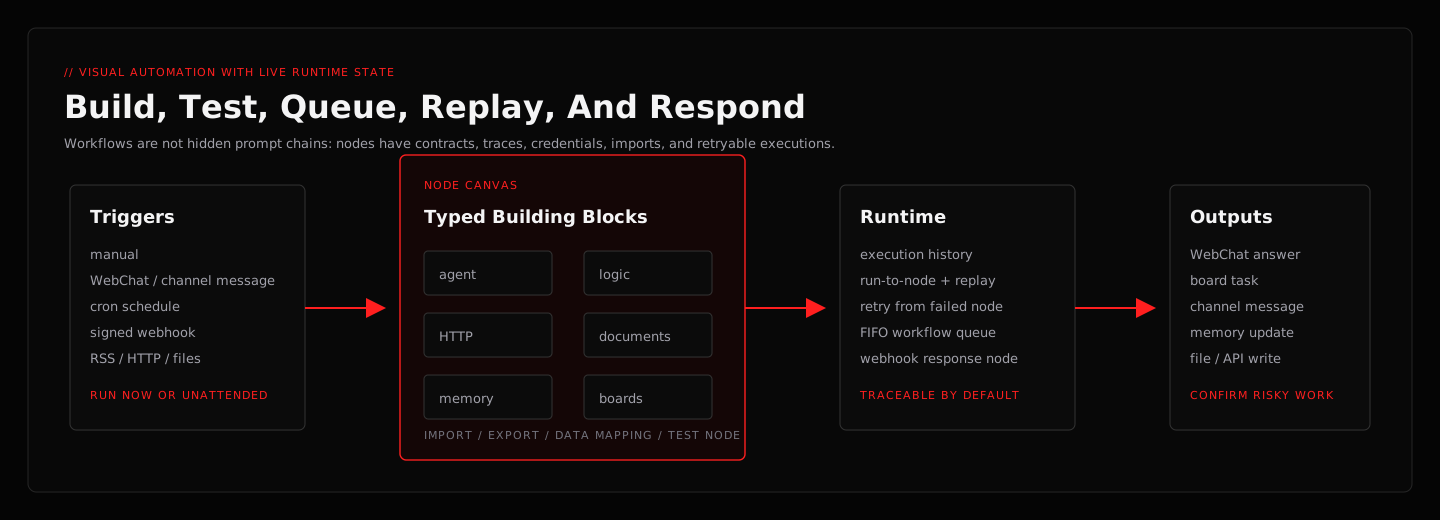
Dry-run turns a generated workflow from a guess into something reviewable. It should check graph order, trigger detection, node compatibility, required fields, and mutating effects. It should tell you whether a node sends a message, writes a file, changes a board, calls an external API, or runs a command.
Without dry-run, plain-English workflow automation can feel magical until it breaks. With dry-run, it becomes normal software: inspectable, testable, and repairable.
Approval gates should be tied to exact actions
Approvals are only useful if they are specific. “Allow workflow” is too broad. “Allow this workflow version, this node, this target, and this payload once” is safer.
Disp8ch classifies workflow side effects just before a node runs. Reads can run automatically under a balanced policy. Local reversible writes may be allowed under some settings. External sends, destructive changes, credential use, and unknown actions require stronger approval or denial. Unattended runs fail closed for high-risk effects unless a matching approval exists.
This lets users start with automation while keeping a human boundary around risky changes.
Connect automation to boards and decisions
Workflows are most useful when their output lands somewhere visible. A daily digest can send a WebChat message, but it can also create board tasks for blockers. A vendor comparison can become a Council decision. A source crawl can update a notebook. A launch check can attach work to a hierarchy goal.
That is why Disp8ch treats Boards, Council, Hierarchy, and Data Sources as part of the same operating loop. Automation should not end in a forgotten notification. It should leave the next action where the operator will see it.
Local models and hosted models can coexist
Plain-English automation does not require a hosted model for every step. You can run core workflows with local models through Ollama, LM Studio, llama.cpp, vLLM, SGLang, or another OpenAI-compatible endpoint. You can also assign a hosted model to the agent that needs stronger planning while keeping routine summarization local.
The practical rule is simple: choose the smallest model setup that reliably handles the job. Summaries and extraction may run well locally. Complex planning or tool repair may benefit from a stronger hosted model. Disp8ch lets different agents and workflows use different configurations.
What to automate first
Start with repeatable, low-risk work:
- A daily source digest to WebChat
- A docs crawler that creates review tasks
- A webhook that validates JSON and summarizes it
- A weekly local workspace health report
- A source-bounded notebook summary
- A board cleanup suggestion that waits for approval
Avoid starting with destructive file operations, payment flows, credential entry, or broad external messaging. Add those only after you trust the run history and approval boundaries.
A selection checklist
When evaluating a plain-English workflow tool, ask:
- Can I inspect the generated graph?
- Can I test one node?
- Can I dry-run without mutating state?
- Are external sends and destructive actions approval-gated?
- Can unsupported imported nodes remain visible?
- Can output create tasks, decisions, or source records?
- Can I run local models for private work?
- Can I replay or retry failed steps?
If the answer is no, the tool may still be useful, but it is not yet a governed automation workspace.
Try it in Disp8ch
Install Disp8ch, open WebChat, and ask it to build one small workflow. Then open the canvas before activating anything. The best first impression is not a flashy generated answer. It is the moment you can inspect the graph, see the effect badges, run a test, and know exactly where the result will go.
For product-fit comparisons, start with Disp8ch vs OpenClaw or Disp8ch vs Hermes Agent. For implementation details, read the workflow feature page.